



















































You are using an outdated browser. Most of this website should still work, but after upgrading your browser it will look and perform better.
Enrolment FAQs

Enrolment and Registration FAQs
We know that you might have several questions before the start of your studies, so we've put together the most common questions that we get asked at this time of year to help you.
If you've been made an unconditional offer to study at AUB, you'll be sent an email to the email address you've used throughout your application process, inviting you to complete Online Enrolment.
This information is for students studying a Foundation, Undergraduate or Postgraduate course on campus at AUB.
Online Enrolment FAQs
Online Enrolment will open for all eligible students from 2 September 2026. You'll receive an email when it is open.
It should only take around 10–15 minutes to complete, but may take you a little longer if you need to find any information such as your term time address.
First, we need to make sure we call you by the right name, contact you on the right phone or email address, and make sure we have the correct address details for you in case we need to post something to you.
Also, there's some statistical information we're obliged to collect on behalf of some government agencies, and we also need to know how you intend to pay for your tuition fees.
When you've completed your Online Enrolment in full, we'll then notify Student Finance to confirm registration to ensure the release of your maintenance loan (eligible students only).
We ask for personal information to meet our legal, administrative, and support obligations. This includes verifying your identity, confirming eligibility for your course, meeting government reporting requirements, ensuring appropriate support services are available, and maintaining accurate academic records.
Your information is stored securely and used only for purposes directly related to your enrolment and study, in accordance with privacy laws.
No, but you must complete your Online Enrolment before your first day on campus to ensure your IT accesses are ready for the start of your studies.
If you do need to pause your enrolment and come back to it later, your information should be saved and you can resume from where you paused.
Your Online Enrolment must be completed before the first day of term. If you haven’t completed your enrolment by then, we'll assume you won’t be coming to AUB and we'll withdraw your record.
You'll be asked to provide two addresses during Online Enrolment.
Your home address should be where you predominantly live when you're not at university. Your term-time address should be where you're living while you're at university.
No worries, you'll be able to provide your address at Face-To-Face Registration, and if you need to update it during any point of the academic year, you can do so by logging into eVision.
Not a problem. Please contact studentrecords@aub.ac.uk.
Finance FAQs
If you’ve applied for:
- Advanced learner loan for your Foundation course, your loan will be paid directly to us.
- Student Finance for an Undergraduate course, your loan will be paid directly to us.
- Student Finance for a Postgraduate course, your loan will be paid directly to you. You'll then need to make payment directly to AUB like a self-payer.
If you're paying AUB directly, you can find information on our Fees and Financial Support page.
We'll notify Student Finance when you've completed your Online Enrolment. You'll then be paid on the first day of term.
Please contact income@aub.ac.uk and our colleagues will assist you.
Contact studentrecords@aub.ac.uk and advise us of the correct method. We'll then advise you of any next steps if necessary.
If your Student Finance portal is saying “Awaiting Attendance Confirmation”, there's nothing further for you to do and we'll confirm your attendance when you're fully enrolled.
Urgently apply today by going to the GOV.UK website.
Tuition fees are due at the start of every term.
Please forward your proof of grant from the relevant Bailiwick to income@aub.ac.uk. We will then invoice them directly.
You can email income@aub.ac.uk or call us on 01202 363356.
Documents and ID FAQs
If you're a Home/UK student...
You'll need to upload a picture of your passport; it doesn't matter if this is out of date.
If you don't have a passport, you'll need to upload a picture of an ID card like a driving licence PLUS a supporting statement like a birth certificate or approved loan from Student Finance.
If you are a EU student with Settled or Pre-Settled Status...
You will need to upload a picture of your valid passport. You will also need to generate a new Share Code and upload this, so we can check your status.
If you are an international student...
You must upload a copy of your passport – this must be valid and in date.
Then, if you have any of the following, please upload these:
- Travel Vignette
- Proof of travel to the UK, such as a flight ticket or confirmation
- Decision Notice Letter
- eVisa Share Code
(For International students only)
This is a sticker that is put in your passport to allow you to transit to the UK. This sticker is normally stamped when you arrive in the UK and we need to take a record of this when you arrive for your Face-To-Face Registration.
(If your vignette is not stamped, do not worry – we will ask you to provide a copy of your flight ticket or booking confirmation instead).
Please find an example Travel Vignette at the foot of this page.
(For International students only)
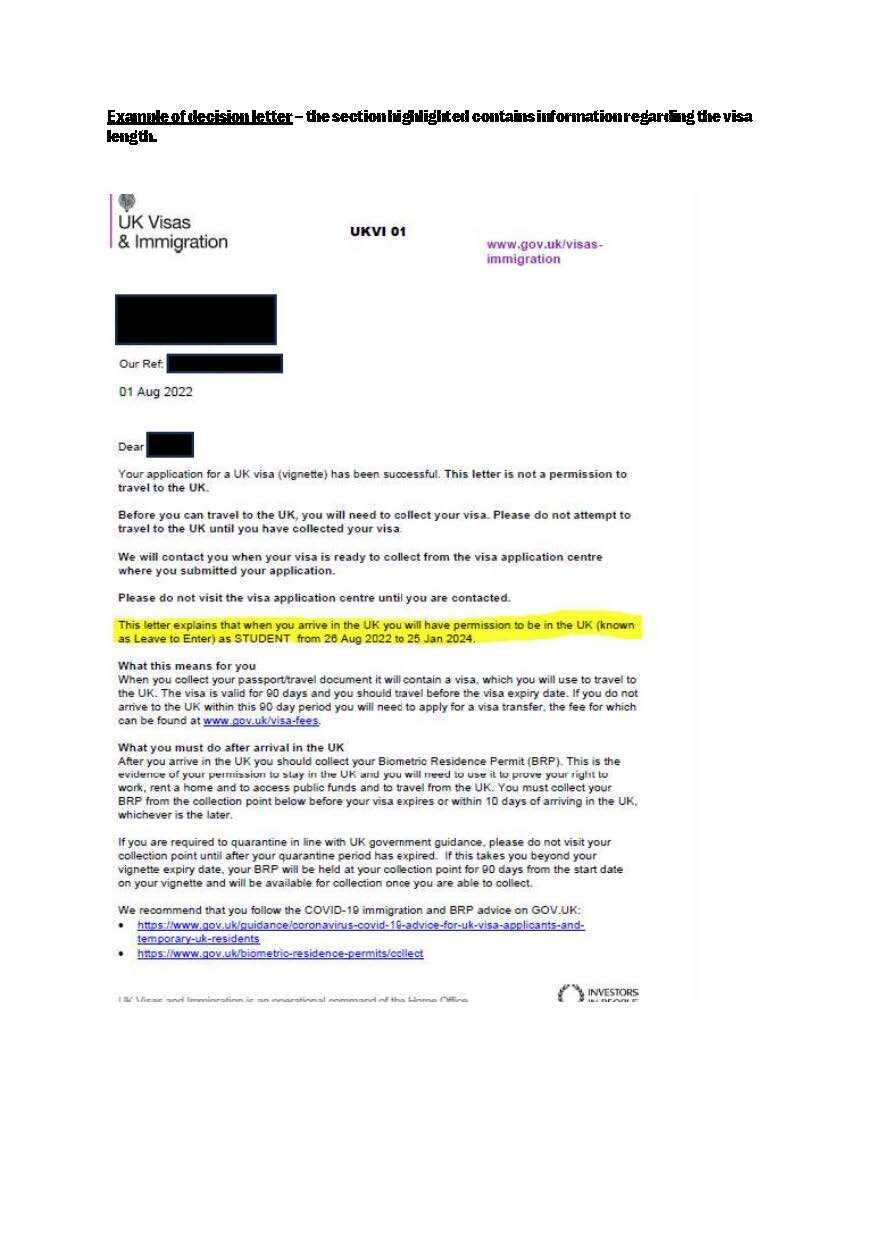
Your decision notice letter is the letter from UKVI letting you know a decision has been made on your visa application. We need to see this so we can take a record of your visa information and ensure your visa details are correct for the course you are studying.
Please find an example Decision Letter at the foot of this page.
(For International students only)
An eVisa is a digital record of your identity and immigration status plus the conditions of your visa. You will need to generate a share code so that we can view your eVisa by going to the eVisa website. You should then provide the share code when you are completing your Online Enrolment.
- Sign in to the online 'View and Prove service' and view your eVisa details. Make sure your passport is linked and your visa is correct.
- Go to 'Get a share code'
- Complete the details on the subsequent screens, ensuring you select the reason for generating your share code is for ‘education’.
- Click ‘create share code’ and email this to studentrecords@aub.ac.uk.
Face-To-Face Registration FAQs
One your first day on campus, you'll arrive at the scheduled time for your course and go to the South House Lecture Theatre for a welcome talk by the Dean of your school and the Vice-Chancellor.
After this, you'll be split into two groups and both groups will go for a campus tour and to our Face-To-Face Registration session. Here, we'll run through all the details you provided during your Online Enrolment, make sure we have everything we need, check your right to study document and answer any questions you might have.
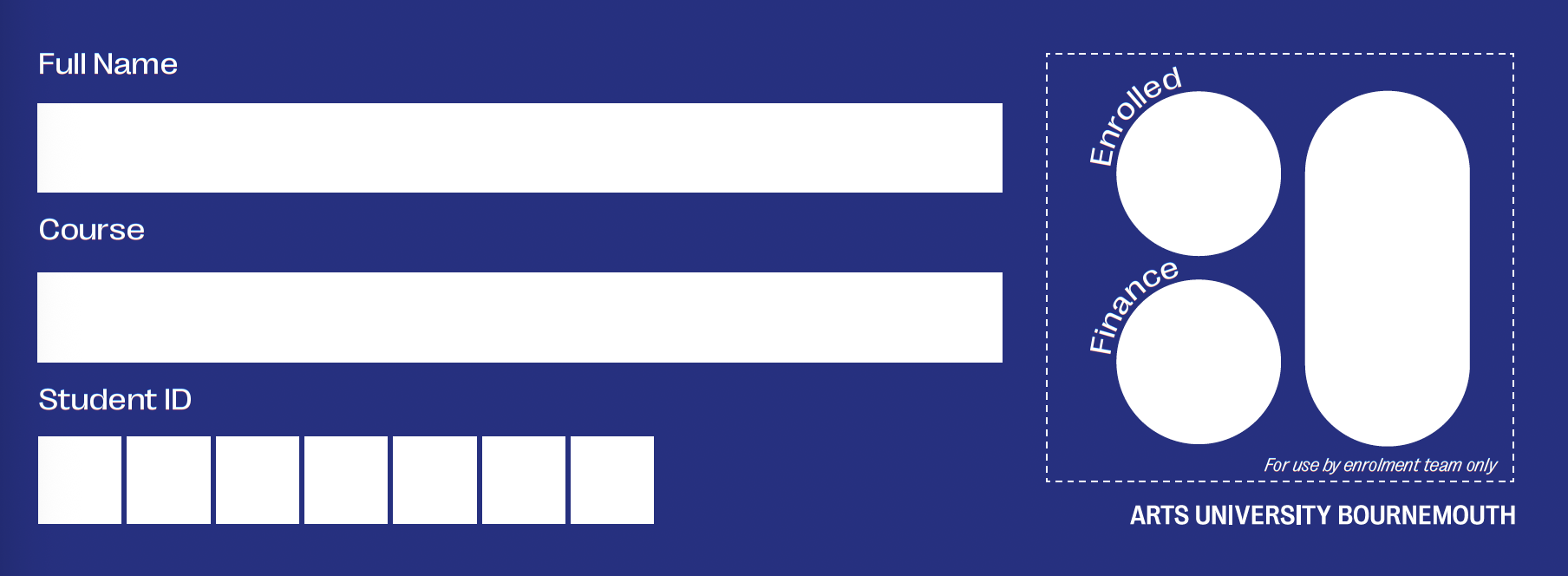
If we have everything we need, you'll be able to collect your AUB Student ID Card upon your exit.
Your Face-To-Face Registration will happen on your first day on campus. You can view the date and time within the course welcome guides from here.
If you arrive after the first day, please visit the AUB Reception desk. You'll be directed to the Student Records team from there.
You must bring your ‘right to study’ document(s) with you.
You should bring the notebook that you may have been sent in the post. If you didn’t receive this or have lost it, don’t worry – we have plenty of spares to give you on your first day.
Inside the notebook is a ‘Registration Passport’, fill this info in before you arrive. Again, we have plenty of spares for you.
Please find an example Registration Passport at the foot of this page.
A right to study is your proof that you're eligible to study in the UK.
If you're a home/UK student...
You'll need to bring your passport; it doesn't matter if this is out of date. If you don't have a passport, should bring an ID card like a driving licence PLUS a supporting statement like a birth certificate or approved loan from Student Finance.
If you are a EU student with Settled or Pre-Settled Status...
You will need to bring your valid passport.
If you are an international student...
You should bring all your documents with you, including your passport, proof of travel to the UK, Decision Notice Letter and you should generate a new eVisa share code.
When can I collect my AUB Student ID Card?
If we have all the information and documents we need from you, you'll be given your AUB Student ID Card at the end of Face-To-Face Registration.
Timetable and systems FAQs
You'll be able to see a provisional timetable in your calendar on myAUB. You'll need to have set up your IT account to see this.
You'll be emailed around six hours after completing your Online Enrolment with instructions on how to set up your AUB email address. Complete these steps and download the myAUB app.
To view the term dates for your course, please refer to our Term Dates page.
There's no formal reading week during the term. If there are breaks in the teaching during the term, these are set on a course-by-course basis and can be found in your timetable, but these don't occur on every course.
Example documents
Please see examples of a Travel Vignette, Decision Letter and AUB Registration Passport below.